Claude Code MCP for Event Pipelines: 5 Prompts That Work
Five prompts for running a Jitsu pipeline from Claude Code, with the MCP tools each one calls and what to check before you approve a change.

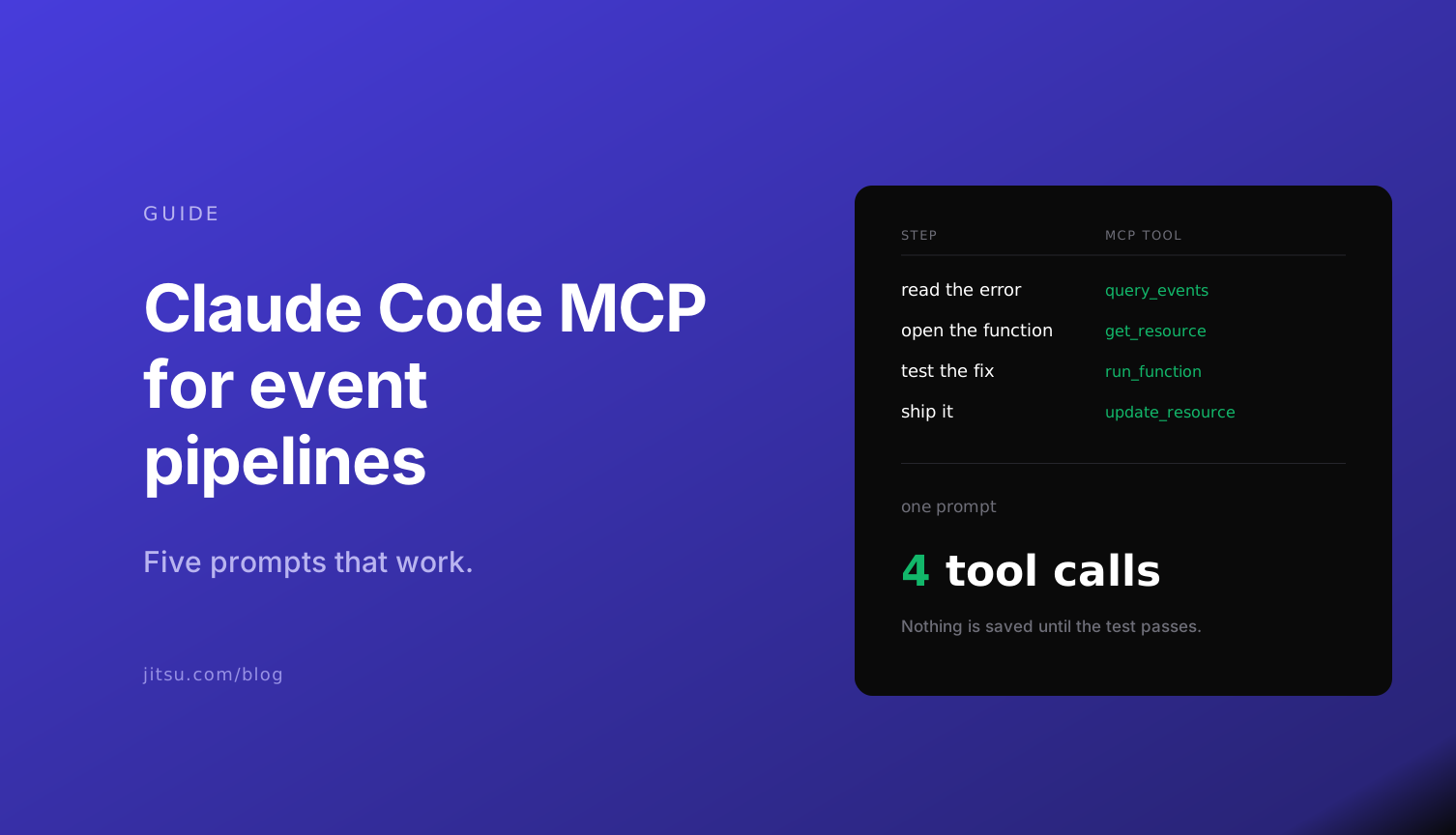
An agent can only finish a job if it can check its own work. For an event pipeline that comes down to two tools: one that reads the live event stream, and one that runs a function on a sample event without saving anything.
The Jitsu MCP server has both, plus 24 more. Below are five prompts that use them, the tools each prompt ends up calling, and the points where you should read before you approve.
Setup
One command in a terminal:
claude mcp add --transport http jitsu https://use.jitsu.com/mcp
The first tool call opens a browser tab to approve the connection. There is no API key to copy. On an on-premise install, use your own console host with /mcp on the end.
Use a workspace with test data while you learn what the agent does. Live Events shows real payloads, and the agent will quote them back to you.
1. "Is my site sending events?"
List the event sources in my workspace, then show me the last 20 events from the web stream. Tell me which event names you see and whether any have errors.
Tools: list_workspaces, list_event_sources, query_events.
Every call here is read-only, so this is the one to start with. It is also the question that used to mean opening the console, finding the stream and scrolling. query_events returns the same records Live Events shows, errors included, and takes the same filters.
2. "Send purchases and signups to the warehouse"
Add a Postgres destination called analytics using the credentials in ./pg.env. Test the connection before you save it. Then connect my web stream to it, and only let purchase and signup events through.
Tools: get_resource_schema, test_connection, create_resource three times (the destination, a function that drops everything else, the connection).
The agent reads the JSON Schema for a destination first, so it fills in the fields the way the console would. test_connection checks the credentials before anything is saved.
Read the function it writes before you approve the last step. A filter is four lines, and a filter with the condition the wrong way round silently drops the events you wanted.
3. "Something is failing, find it and fix it"
Check Live Events for errors on the web stream in the last hour. If a function is throwing, open it, find the bug, test your fix against one of the failing events, and show me the diff before you save.
Tools: query_events filtered to errors, get_resource, run_function, update_resource.
This is the prompt that the two extra tools exist for. The agent reads the error from the live stream, opens the function that threw it, and runs its fix against the event that failed. run_function returns the result and the logs and saves nothing, so a wrong fix costs nothing.
update_resource is marked destructive, so Claude Code stops and asks. That is where "show me the diff" earns its place in the prompt.
4. "Did last night's sync work?"
Show me the sync tasks from the last 24 hours. For any that failed, read the logs and tell me the cause in one line each.
Tools: list_sync_tasks, get_sync_logs.
Read-only again. Sync logs are long and mostly repetitive, which makes them a good thing to hand to an agent. If the cause is a stale cursor, the follow-up is reset_sync_state and run_sync, and the reset is one more destructive tool that asks first.
5. "What did agents change this week?"
Read the audit log for this workspace for the last 7 days, origin mcp only. List each change with the resource, the fields that changed and who was connected.
Tools: get_audit_log.
Every configuration change made through the MCP server is written to the audit log with an MCP origin, with a field-level diff and secrets masked. Workspace owners can read it. Run this on a Friday and you have a change review of everything agents did, written by an agent.
What to keep behind a confirmation
Claude Code can be told to run tools without asking. For this server, allow the read-only ones and leave three alone: update_resource, delete_resource and reset_sync_state. They are the three the server itself marks as destructive.
In CI there is no browser, so the agent uses a personal API key in an Authorization header. Give that key an expiration date. An agent with your key can do what you can do.
Go further
The full tool list is in the MCP docs.
Try the five prompts on a free workspace
<script
 async
 src="https://data.yourcompany.com/p.js">
</script>--get signup page views in the last day
select * from events where
context_page_path = '/signup' and
timestamp > now() - interval '1 day'