PII Masking for Event Data, Before the Warehouse
Masking in the warehouse means the plaintext was already stored. This post masks events in the pipeline instead, with one function you can paste and adapt.

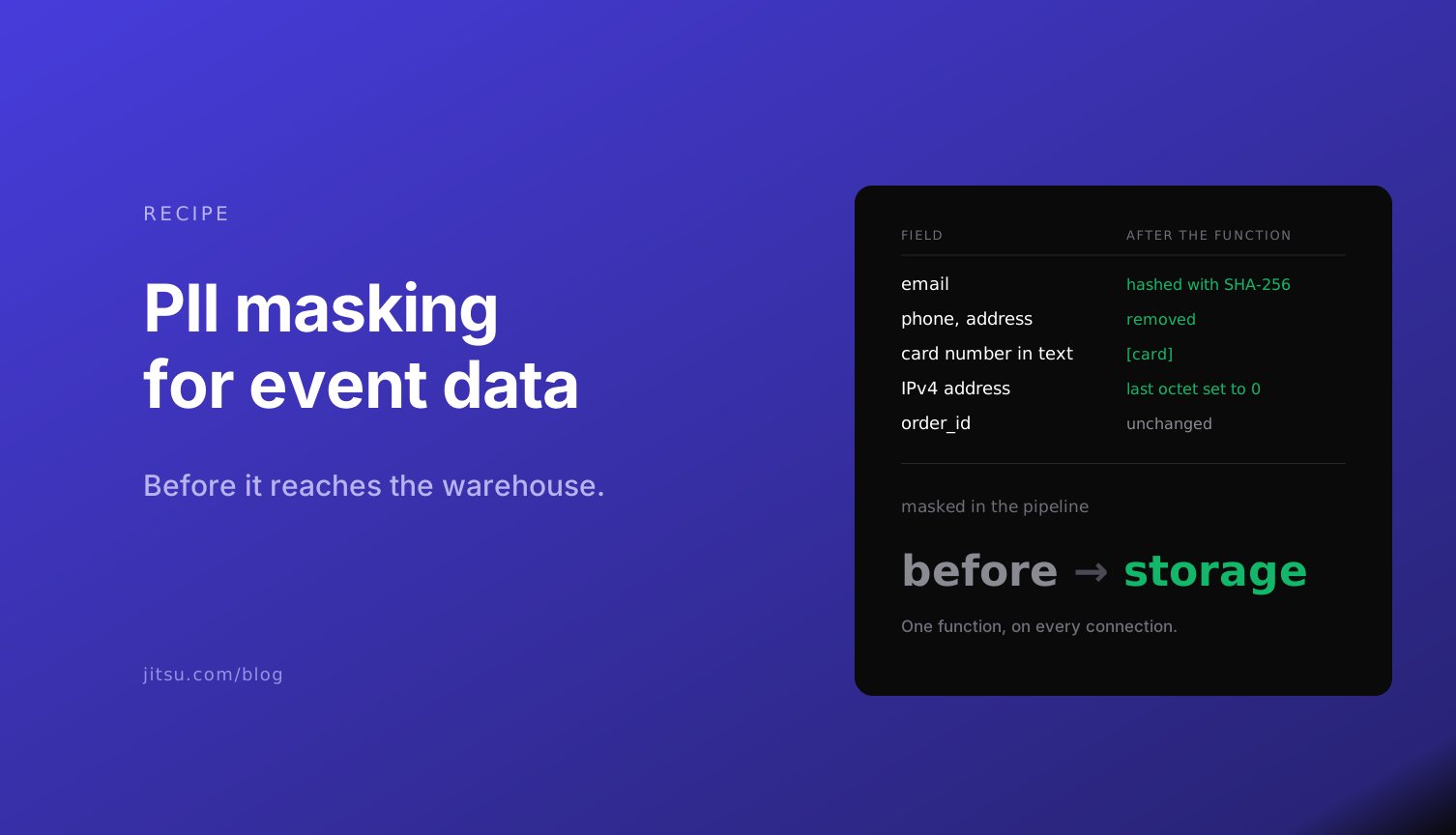
Most PII masking happens too late. A dynamic masking policy in the warehouse hides a column from an analyst, but the phone number is still sitting in the table, in the backups, and in every tool the event was copied to on the way there.
Event data makes this worse than it sounds, because nobody decides to collect the PII. A developer adds email to a signup event. A support form sends the whole message as a property, and a customer types a card number into it. The IP address comes along on every request whether you asked for it or not.
The place to deal with it is the pipeline, before the event is stored anywhere. This post is one function that does that, the event before and after, and three habits that keep the masked table clean.
Mask before storage, not after
There are three places you can mask an event.
| Where | What it protects | What to know |
|---|---|---|
| In the browser or app, before sending | Everything downstream | Every client needs the same code, and the IP address still arrives with the request |
| In the pipeline, before any destination | The warehouse and every tool the event is sent to | One function, added to each connection |
| In the warehouse, with a masking policy | Analysts who query through that policy | The stored plaintext, backups, and every other destination |
The pipeline is the only one of the three that sits in front of all your destinations and behind all your clients. In Jitsu that step is a function: JavaScript that runs on each event and returns the event to send on, or "drop" to discard it.
The function
It does four things. It removes fields you never want, at any depth in the event. It hashes email, so you can still count and join users without storing the address. It redacts email addresses and card numbers inside free-text fields. And it truncates the IP address.
import { hash } from "crypto";

// Keys removed wherever they appear, at any depth.
const REMOVE = new Set(["password", "ssn", "card_number", "cvv", "date_of_birth", "phone", "address"]);
// Keys replaced with a SHA-256 of the trimmed, lower-cased value.
const HASH = new Set(["email"]);
// Free-text fields where an email address or card number can hide.
const FREE_TEXT = new Set(["message", "comment", "search_query", "title"]);

const EMAIL = /[A-Z0-9._%+-]+@[A-Z0-9.-]+\.[A-Z]{2,}/gi;
const CARD = /\b\d(?:[ -]?\d){12,18}\b/g;

// Luhn check, so order numbers and timestamps are left alone.
function isCardNumber(candidate) {
  const digits = candidate.replace(/\D/g, "");
  if (digits.length < 13 || digits.length > 19) return false;
  let sum = 0;
  for (let i = 0; i < digits.length; i++) {
    let d = Number(digits[digits.length - 1 - i]);
    if (i % 2 === 1) {
      d *= 2;
      if (d > 9) d -= 9;
    }
    sum += d;
  }
  return sum % 10 === 0;
}

// A card number often sits next to other digits (an expiry such as 12/30), and CARD takes those in too.
// If the whole match is not a card, try it with whole digit groups dropped from either end. A plain run of
// digits has no groups, so an order number or timestamp is only redacted if the whole number passes Luhn.
function redactCard(match) {
  const digits = [...match].flatMap((c, i) => (/\d/.test(c) ? [i] : []));
  const starts = digits.filter((at, n) => n === 0 || !/\d/.test(match[at - 1]));
  const ends = digits.filter((at, n) => n === digits.length - 1 || !/\d/.test(match[at + 1]));
  const spans = starts.flatMap(start => ends.filter(end => end > start).map(end => [start, end]));
  spans.sort((a, b) => b[1] - b[0] - (a[1] - a[0]));
  for (const [start, end] of spans) {
    if (isCardNumber(match.slice(start, end + 1))) {
      return match.slice(0, start) + "[card]" + match.slice(end + 1);
    }
  }
  return match;
}

function scrubText(value) {
  return value.replace(EMAIL, "[email]").replace(CARD, redactCard);
}

// Replaces every string under a HASH key, including the items of an array.
function hashValue(value) {
  if (typeof value === "string") return hash("sha256", value.trim().toLowerCase());
  if (Array.isArray(value)) return value.map(hashValue);
  return mask(value, "email");
}

function mask(value, key) {
  if (Array.isArray(value)) return value.map(item => mask(item, key));
  if (value && typeof value === "object") {
    const out = {};
    for (const [k, v] of Object.entries(value)) {
      const name = k.toLowerCase();
      if (REMOVE.has(name)) continue;
      out[k] = HASH.has(name) && (typeof v === "string" || Array.isArray(v)) ? hashValue(v) : mask(v, name);
    }
    return out;
  }
  if (typeof value === "string" && FREE_TEXT.has(key)) return scrubText(value);
  return value;
}

// 203.0.113.42 becomes 203.0.113.0. Anything that is not an IPv4 address is removed.
function truncateIp(ip) {
  return typeof ip === "string" && /^\d{1,3}(\.\d{1,3}){3}$/.test(ip) ? ip.replace(/\.\d{1,3}$/, ".0") : undefined;
}

export default async function maskPii(event, { log }) {
  const masked = mask(event);
  masked.requestIp = truncateIp(event.requestIp);
  if (masked.context) masked.context.ip = truncateIp(event.context?.ip);
  if (JSON.stringify(masked).match(EMAIL)) log.warn(`Email address left in ${event.type} ${event.event ?? ""}`);
  return masked;
}
The three lists at the top are the part to change. REMOVE and HASH match property names in any case, so Password and password are both caught. FREE_TEXT names the properties where people type whatever they like.
Before and after
This is a support-ticket event going in:
{
  "type": "track",
  "event": "Support Ticket Created",
  "userId": "u_1",
  "requestIp": "203.0.113.42",
  "context": {
    "ip": "203.0.113.42",
    "traits": { "email": " Ada@Example.com ", "phone": "+1 555 0100", "plan": "pro" }
  },
  "properties": {
    "order_id": "1234567890123456",
    "amount": 49.5,
    "message": "my card 4242 4242 4242 4242 was charged twice, mail me at ada@example.com"
  }
}
And this is what reaches the warehouse:
{
  "type": "track",
  "event": "Support Ticket Created",
  "userId": "u_1",
  "requestIp": "203.0.113.0",
  "context": {
    "ip": "203.0.113.0",
    "traits": {
      "email": "b5fc85e55755f9e0d030a10ab4429b6b2944855f9a0d60077fe832becbc41d72",
      "plan": "pro"
    }
  },
  "properties": {
    "order_id": "1234567890123456",
    "amount": 49.5,
    "message": "my card [card] was charged twice, mail me at [email]"
  }
}
Two details in that output are deliberate.
The order ID is sixteen digits and it survived. The function only redacts a number when it passes the Luhn check that real card numbers pass, and only inside the free-text fields. A blunt "any 16 digits" rule would have eaten your order IDs and timestamps.
Jitsu records the sender's IP address in requestIp as well as in context.ip, so the function truncates both. Mask one and the other still lands in the table.
Test it before it touches real events
Paste the function into the function editor in the Jitsu console, put a sample event in the Event panel and press Run. The result and the logs show up next to the code, and nothing is sent anywhere.
If you work from an agent, the Jitsu MCP server has a run_function tool that does the same thing: it runs a function against a sample event and returns the result and logs without saving anything. Ask the agent to run the function on five of your real event shapes and show you the output of each.
Then add the function to every connection whose destination should not hold PII. A connection that does not run it sends events through unmasked, which is the most common way plaintext gets into a "masked" table.
Three habits that keep it clean
Treat the hashed email as personal data. An unsalted SHA-256 of an email address is pseudonymous, not anonymous: anyone holding a list of addresses can hash them and match. Hashing stops casual exposure and keeps joins working, and the table stays in scope for GDPR and CCPA like any other.
Drop free text you do not analyze. The function redacts email addresses and card numbers inside a message. For a field that can hold anything, add it to REMOVE and keep the original in the system that needs it.
Use the warning as your checklist. The function logs a warning when an email address survives in a field you did not list, and that warning appears in Live Events. The first week of warnings is the list of fields to add.
When you need the plaintext too
Fraud and support teams sometimes need the unmasked event. The pattern is two tables: a masked one for analysts and a raw one with a short access list. A function can return two events, one for each table, and the fintech data residency page has that version with the SQL that checks the two copies against each other.
Functions run the same way on Jitsu Cloud and on an on-premise install, so the masking logic moves with you if the deployment changes.
Run the masking function on your own events
<script
 async
 src="https://data.yourcompany.com/p.js">
</script>--get signup page views in the last day
select * from events where
context_page_path = '/signup' and
timestamp > now() - interval '1 day'